IT workflow automation connects the systems IT teams already use, from identity providers and human resource information systems (HRIS) to ticketing tools and cloud infrastructure. It also runs multi-step processes without manual handoffs.
We're constantly impressed by how IT teams use Tines to automate the workflows that used to consume their weeks. Today, we're highlighting standout examples of IT workflow automation from Intercom, Brex, Vimeo, and Jamf.
These teams switched to intelligent workflows across everything from employee lifecycle management and onboarding to identity governance and asset recovery, and the results speak for themselves:
Intercom cut workflow build time from two months to two hours
Vimeo saved 20+ hours per month on identity checks
Jamf reclaimed 150 hours in their first month
Brex analyzed and suppressed up to 90% of weekly alerts
Intelligent workflow platforms unify the full workflow stack on one governed surface: how you build, how you integrate with other systems, how humans interact with the work, and how the automation runs. The automation layer itself combines deterministic steps for predictable work, agentic AI for complex decisions, and human-in-the-loop approvals for exceptions
Here's what each team built and the outcomes they measured.
4 IT workflow examples from real teams
These four teams automated different categories of IT workflows. What they share is the pattern: a trigger event in one system kicks off a multi-step process that spans several tools, applies business logic, and either completes automatically or routes to a human for a decision.
The outcomes are measured in hours reclaimed, errors eliminated, and teams freed to build the next workflow instead of maintaining the last one.
1. Employee lifecycle workflows at Intercom
Intercom, a customer service platform used by more than 25,000 global organizations, had a problem that's familiar to any IT team managing a growing workforce. Every employee change, from new hires to role transitions to departures, required manual updates across multiple systems.
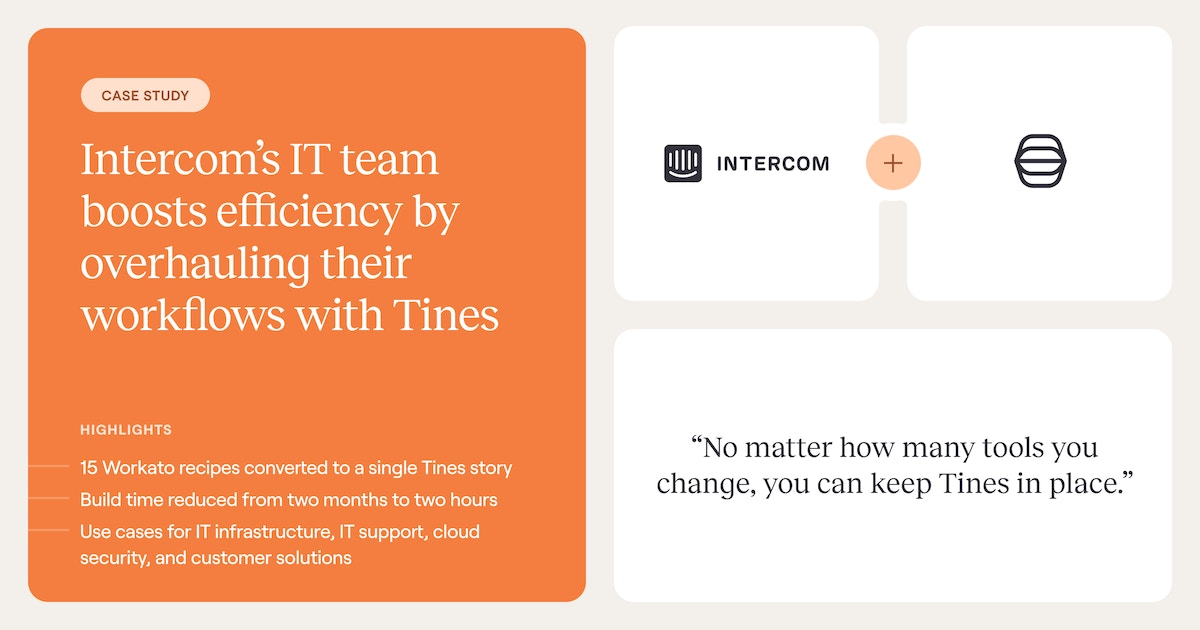
The IT team was spending weeks building automations on their previous platform, Workato, where each workflow took roughly two months to ship.
They replaced that approach with an intelligent workflow platform and built an automation center of excellence that now spans IT infrastructure, IT support, cloud security, and customer solutions.
Their key employee lifecycle workflow ingests a JSON report from Workday containing all Intercom employees, uses the AWS Redshift API to make SQL queries against their database, processes HR data changes, and executes user lifecycle automations in Okta. The entire workflow runs on a single story (Tines' term for a workflow).
Build time dropped from two months to two hours. The team built 16 new workflows in their first four months, and when they migrated off Workato, 15 existing Workato recipes collapsed into a single Tines story.
We worked with Tines engineer, Emily, to migrate all of our Workato recipes to Tines. And that process was really, really easy. We were able to not only seamlessly migrate things over to Tines, but actually make a lot of the existing automations a lot simpler and consolidate things.
Lucas Cantor, Staff Engineer, Information Systems
2. Cross-team workflows at Brex
Brex, a financial technology company providing corporate cards and spend management for a globally distributed workforce, had a different version of the IT automation problem.
Their onboarding process required manual 5 a.m. logins to handle time-zone-specific provisioning tasks. Identity workflows lived inside individual tools like Okta and Google Workspace with no orchestration layer connecting them. And IT and security operated on separate automation stacks.
The security team adopted Tines first, building alert management workflows that analyzed and suppressed up to 90% of weekly alerts. When the IT team saw what the platform could do, they followed. Now both teams build on the same surface.
Employee onboarding that once required predawn manual work runs automatically across time zones. Identity workflows that used to live in siloed tools are orchestrated through one platform with a single audit trail.
This pattern of security adopting first and IT following is the signature shape of the intelligent workflow platform category. Tines sees this pattern across its customer base: 75% of customers now use the platform across multiple teams.
Working from the same platform removes duplicate integrations, creates reusable workflow patterns, and means IT inherits the security-grade governance that was built into the platform from day one.
3. Identity lifecycle and access governance at Vimeo
Vimeo, a global video creation and collaboration platform, faced a common governance gap. Their quarterly access audits kept surfacing issues that should have been caught daily: mismatches between HR records and identity provider accounts, access that should have been revoked weeks earlier, and applications connected through workarounds rather than proper integrations.
Their Senior IAM Manager, Connor Murphy, built a daily identity reconciliation workflow that runs every morning, comparing UKG (their HRIS) against Okta and catching mismatches within 24 hours instead of waiting for the next quarterly review. The workflow saves 20+ hours per month on identity checks alone.
But the bigger win was integration breadth. Vimeo needed to connect roughly 30 applications to their access management platform, Lumos, and almost none had native integrations.
Through Tines, Murphy connected all 30+ applications, creating the orchestration layer that made their access governance program work at scale. The audit trail that runs across every workflow gives the team evidence collection that used to require manual export cycles.
4. Asset management and device recovery at Jamf
Jamf provides management and security for the Apple environment, with millions of managed devices. Before Tines, their IT team built workflow automations as Python web applications. Each took roughly a week to develop, and only engineers with Python experience could build or manage them. The result was a long backlog of automation ideas that never got built.
Their key IT workflow, on-demand FileVault key recovery, replaced a painful manual process. Previously, users locked out of their Macs had to contact IT support, wait for an engineer to manually retrieve recovery keys, and hope the handoff didn't introduce security gaps.
Now the intelligent workflow handles the entire process: intake the request, validate the user's identity, look up the FileVault key via API, securely deliver it, and rotate the key through Jamf Pro. The user gets back into their device faster. IT gets time back. And the key rotation step means security posture actually improves after every recovery.
The shift from Python to a visual workflow builder meant 4x more team members could build automations, going from a small group of Python-capable engineers to 20+ builders across teams. IT saved 150 hours in their first month. The team now runs 40,000 events per day across their workflows.
I feel really comfortable building in Tines. It's very, very rare that I encounter something that I can't build completely within the platform.
Andrew Katz, Senior Information Security Engineer, Jamf
Common IT workflows you can automate
IT teams automate dozens of workflow types across the employee lifecycle, infrastructure, and service delivery. The examples above cover the most common categories, but the patterns extend further.
Employee onboarding and offboarding: Provision and deprovision accounts across identity providers, cloud platforms, SaaS tools, and communication channels. Trigger from HRIS events, not manual requests. Intercom's IT team eliminated their entire Slackbot-based access request system this way, consolidating what had been expensive per-bot integrations into automated onboarding workflows.
Access provisioning and reviews: Route access requests through approval workflows, enforce least-privilege policies, and run periodic access reviews with automated evidence collection. Vimeo runs daily identity reconciliation that catches mismatches that their quarterly audits used to miss. The Tines Library includes pre-built workflows for Okta group management, Google Workspace provisioning, and role-based access assignment.
Asset inventory and device management: Track hardware assignments, monitor compliance status across endpoints, automate device enrollment and key recovery. Jamf's FileVault recovery workflow is one example. The Tines Library also includes workflows to search for Jamf assets via Tines Pages and to monitor Tailscale device enrollments via Slack.
Service desk automation: Auto-route tickets based on category and urgency, enrich tickets with context from connected systems, and escalate unresolved issues on schedule. At Intercom, hardware issue reporting now runs through a QR code that triggers a Tines Page, opens an Intercom conversation, and auto-remediates where possible.
Software deployment and license management: Automate software provisioning for new roles, track license usage and flag underutilized subscriptions for reclamation. Teams that connect their HRIS to their software catalog through Tines can trigger provisioning the moment a role change is confirmed, rather than waiting for a manual request.
Every one of these follows the same shape: something happens in one system, logic runs across several others, and the workflow either completes on its own or asks a human to make a call.
Where IT workflow automation is heading
According to the Tines Voice of Security 2026 report, 44% of the time across security and IT teams is still spent on manual, repetitive work. Most of that work follows the same shape: something changes in one system, and a human has to update five others.
The direction of travel is clear. IT is moving off fragmented automation stacks and onto intelligent workflow platforms that run the full sequence end-to-end. Three shifts are driving the change:
From task automation to workflow orchestration: Single-system scripts and point tools automated individual tasks. Intelligent workflow platforms run the whole process across identity, HRIS, ticketing, cloud, and everything else on one governed surface.
From separate stacks to shared platforms: Across Tines' customer base, 75% of accounts now span multiple teams. Working from the same platform removes duplicate integrations, inherits security-grade governance, and lets IT and security reuse each other's patterns.
From rules to full-spectrum execution: Deterministic automation still runs the predictable work, but agentic AI and human-in-the-loop steps are built into the same workflows. That's how teams automate more without losing judgment where it matters.
The teams above stopped accepting fragmented automation stacks and manual handoffs as normal. They moved from fragile scripts and disconnected tools to a single intelligent workflow platform that handles deterministic automation, agentic AI, and human-in-the-loop workflows on one governed surface.
Each team came from a different starting point. Intercom was stuck on Workato. Jamf was building Python web apps. Brex had IT and security on separate stacks. They all landed on the same model: connect the tools, automate the predictable work, keep humans where judgment matters.
For a deeper look at how IT teams build and scale workflow automation, read the Essential Guide to Workflow Automation for IT Teams or sign up for the Tines Community Edition and start building.
Frequently asked questions about IT workflows
How long does it take to build an IT workflow?
Based on these customer examples, teams typically build and deploy their first IT workflow in hours, not weeks. Intercom's IT team went from two months per workflow on their previous platform to roughly two hours per workflow on Tines. Jamf saw a 95% reduction in build time when they moved from Python web applications to a visual workflow builder.
The gap comes down to how much custom development the platform requires versus how much you can build visually.
What do IT and security teams gain from building on the same platform?
Working on the same platform eliminates duplicate integrations, creates reusable patterns, and gives both teams a single audit trail. The security-grade governance built in from day one means IT workflows pass compliance reviews without extra work.
The pattern is increasingly common: at Brex, Vimeo, and Intercom, security teams adopted Tines first, and IT followed after seeing what the platform could do. 75% of Tines customers now use the platform across multiple teams.
What's the difference between IT workflow automation and ITSM platforms?
ITSM (IT service management) is the practice of managing end-to-end IT service delivery: ticket creation, support, and fulfillment. ITSM platforms like ServiceNow are the products teams use to run that practice. They handle the service layer.
Intelligent workflow platforms run the orchestration layer underneath. They connect identity providers, cloud platforms, HRIS, and device management tools, then run the multi-step processes across them.
Most teams use both. ITSM platforms work within their own ecosystem and rely on manual integrations to extend further. Intelligent workflow platforms work across the full stack of tools and processes, with native connections into the systems ITSM platforms rely on for context and execution.