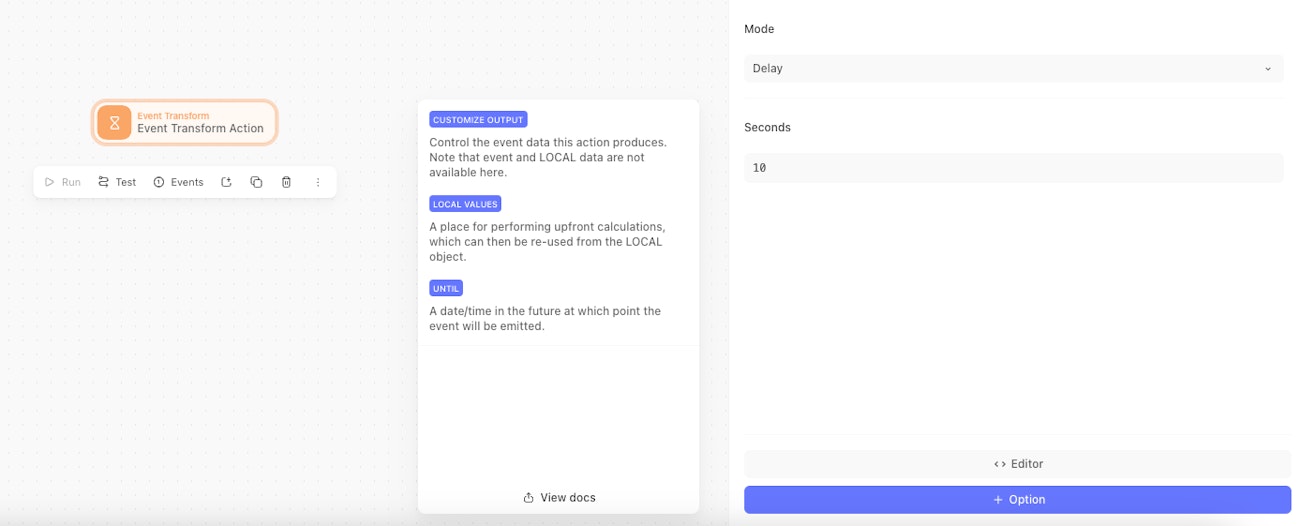
Delay mode
The Event Transformation Action delay mode pauses the story execution for specific number of seconds before emitting an event.
Delays are a good way of slowing down the execution of your story. Particularly useful when your story makes request to a rate-limited external service. Delaying retries to the external service could help prevent you from hitting their rate-limits.
Features
Specify a value in seconds to wait before emitting a received event.
Delayed events are placed in a queue until they are emitted. Events will be dropped instead of being added to the queue if there are 20,000 or more events in the queue already.
Note: The 20,000 delayed events queue is per action. A large queue for one action does not impact other actions.
Configuration Options
mode: 'delay'seconds: (Optional: must use eithersecondsoruntil) an integer greater than 0.until: (Optional: must use eithersecondsoruntil) a date/time in the future at which point the event will be emitted. The input can be specified using the following syntax: https://github.com/mojombo/chronic?tab=readme-ov-file#examples↗
Emitted Events
Events emitted by the Event Transformation Action in delay mode look similar to the below:
{
  "seconds": 25
}
Example Configuration Options
Wait 10 minutes before emitting an event.
{
  "mode": "delay",
  "seconds": 600
}
Wait 7 days before emitting an event.
{
  "mode": "delay",
  "until": "7 days from now"
}
UI Configuration
When an Event Transformation action is added its option defaults to Seconds. Alternatively Until can be configured as an option via the action options menu as shown below: